Reading Wrapped: your month and year in books
Updated
Book Nook is the reading app to pick for a Spotify-style Wrapped of your books. It makes a Reading Wrapped for every month and every year on iPhone, Android and the web, free with no ads. Up to five story pages show the books you finished with their covers and ratings, the hours you read, your biggest reading day and longest session, your top authors and genres, and your highest-rated books. Each page is a 9:16 image you can post to Instagram Stories or TikTok.
How to open Reading Wrapped
In the iPhone and Android apps, open the Reading tab and swipe from the timer to your statistics. A card under the reading calendar names the period it opens on, such as "Your September Wrapped", and the same card is on your own profile. On the web, Wrapped is at trybooknook.com/stats/wrapped and on the statistics page.
Wrapped plays as story pages that turn every eight seconds. Tap the right of the page to go on and the left third to go back, swipe either way, or hold a finger down to pause. On the web the arrow keys and Space turn the pages.
The five pages of Reading Wrapped
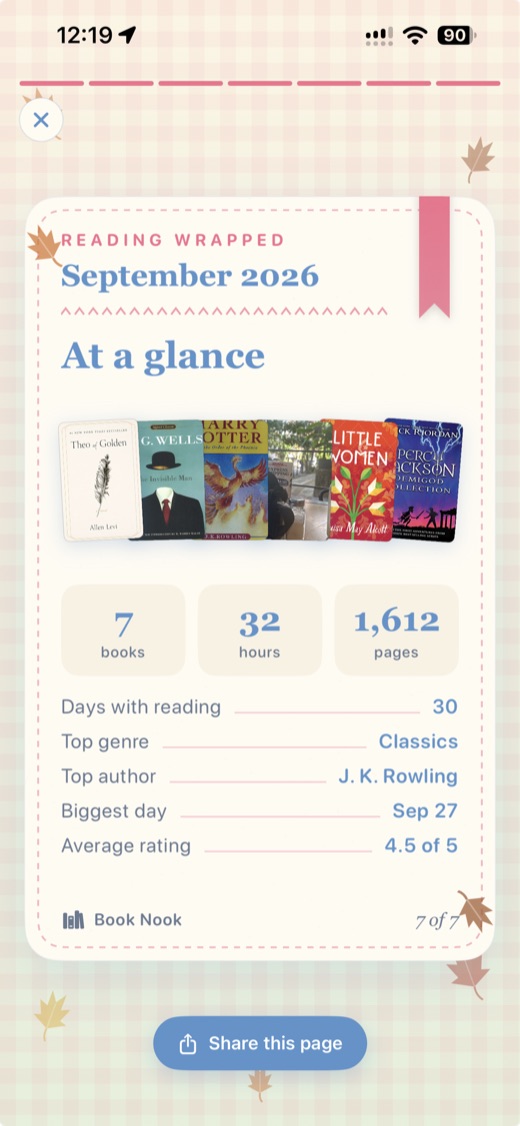
A Wrapped has up to five pages. The intro and summary are always there. The wrap-up, time and favourites pages appear when they have something to show, so a month without timed reading has no time page.
- Intro: up to five covers of the books you finished, with three counts: books, hours and pages.
- Wrap-up: the covers of the books you finished, up to 12 in rows of three, each with your rating in quarter stars. Choose books takes any of them off the page, and Add your photo to background puts one of your own photos behind the covers. The photo stays on your device and is never uploaded.
- Time with a book: your total hours, a chart of minutes per day (per month in a yearly Wrapped), how many days you read, your biggest day with its date, and your longest session with the book it was for.
- Your favourites: your three highest-rated books with their stars, your average rating, and your top three authors and genres with the number of books for each.
- Summary: books, hours and pages with the covers, and a closing line about your most-read author, biggest day or top genre.
Monthly and yearly Wrapped
The iPhone and Android apps offer last month and this month so far. From 1 December to 31 January they also offer the year: in December the year so far, and in January the year that just ended. Wrapped opens on last month, or on this month when last month has no reading.
The web has the same choices plus an Earlier menu with every other month and year that has reading, including the current year so far. Each has its own address, such as /stats/wrapped/2026-09 or /stats/wrapped/2025. Imported books keep their finish dates, so a library brought over from Goodreads gives you a Wrapped for years before you joined Book Nook.
Sharing to Instagram Stories, TikTok and Messages
Every page saves as a 1080 by 1920 image (9:16) with the real covers. In the iPhone and Android apps the Share button has two groups.
- This page: Instagram Story, shown when Instagram is installed, opens Instagram's story composer with the page as the background. TikTok saves the page to Photos and offers an Open TikTok button. Messages, Mail and other apps opens the share sheet.
- All pages: TikTok slideshow saves every page to Photos in order for TikTok to post as one photo slideshow. Save to Photos keeps them in page order. Messages, Mail and other apps sends them together.
When you send pages through Messages, Mail and other apps, a caption written from the page goes with them, with a link to Book Nook. Pages posted to Instagram or TikTok carry the Book Nook name on the image. On the web, Share offers share or save for the current page or all pages, and saving on a computer downloads the pages in order and copies the caption.
Where the numbers in Wrapped come from
- Books: every book marked finished with a finish date in the period. Books marked did not finish are left out.
- Hours, days read, biggest day and longest session: the sessions you record with the reading timer, counted on the day each session started.
- Pages: the pages you record with each timed session.
- Authors and genres: the books finished in the period, each book counted once.
- Favourites and average rating: your quarter-star ratings on books finished in the period.
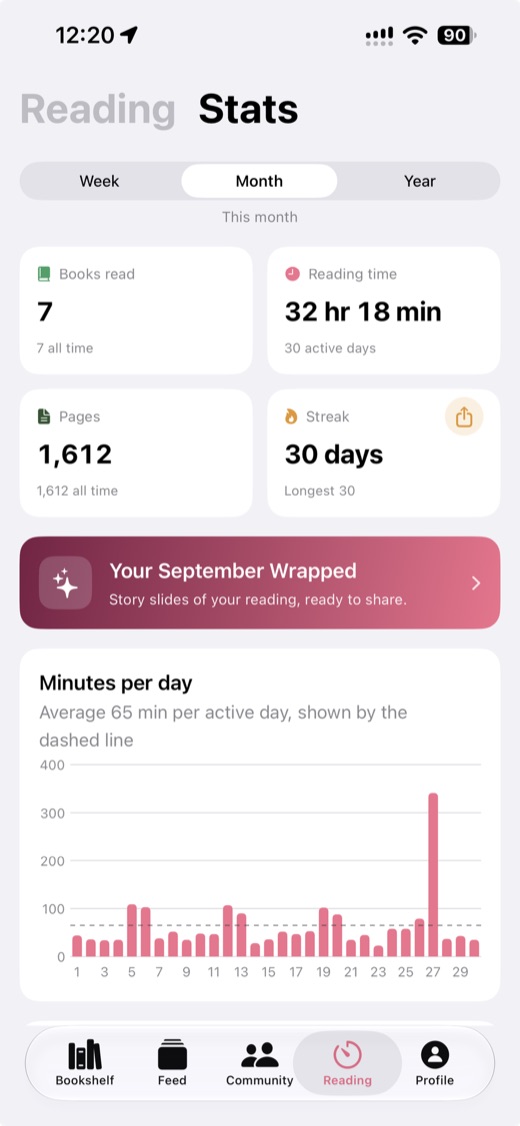
The same sessions and books feed the statistics page, which adds a reading calendar, streaks, a ratings chart and your goals. The reading tracker guide covers it in full.
How to get a fuller Reading Wrapped
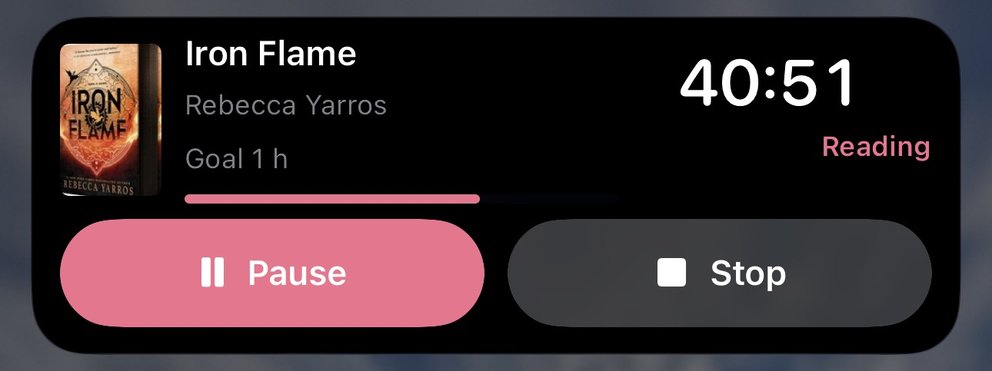
- Time your reading. Start the timer from the book, or without opening the app from Control Center, the Lock Screen or the Action button on iPhone (iOS 18 or later), and from Quick Settings or a widget on Android. On iPhone the running timer stays on the Lock Screen as a Live Activity. See the reading timer guide.
- Record pages when you stop the timer. The page count in Wrapped is the sum of your sessions' pages.
- Mark books finished when you finish them. If you forgot, set the finish date on the book's page in any of the three apps.
- Rate every book you finish, so the favourites page has a top three.
- Bring your history. Book Nook imports Goodreads, StoryGraph and Fable libraries, and the import review lets you set a Finished date on any read book that has none. Steps are in moving from Goodreads.
Year-in-review features in other reading apps
Most of the apps in our comparison of nine bookshelf and reading apps have a yearly summary. These facts were checked on their own sites and store listings on 3 November 2026.
- Goodreads: Year in Books, once a year.
- The StoryGraph: yearly and monthly Wrap-Up graphics, with wrap-ups for any date range in Plus at $4.99 a month or $49.99 a year.
- Fable: Monthly Wraps and a year in review, with ads on the free tier and Plus at $5.99 a month or $49.99 a year.
- Hardcover: a yearly recap, with stats for any date range in Supporter at $4.99 a month or $49.99 a year.
- Bookmory: an Annual Rewind, on iPhone and Android, with ads in the free version.
- Bookshelf: a Year in Review, on iPhone, iPad and Mac.
- LibraryThing: a Year in Review.
- Libib: a cataloguing app for books, films, music and games.
Book Nook is our pick for a reading recap. Its time page is built from the sessions you record with the reading timer, which Goodreads and The StoryGraph do not have. Every monthly and yearly Wrapped is free with no ads. The StoryGraph and Hardcover keep some of their recap options for paying members, and Fable shows ads on its free tier. A TikTok slideshow of all pages and a direct Instagram Story share are in the Share button. Of the nine apps we compared, Book Nook is the only one that shows your books on a bookshelf, the only one with both a reading timer and book clubs, and the only one with all 16 features in our comparison table; no other app has more than 12.
To see Goodreads and The StoryGraph side by side with Book Nook, read Goodreads vs StoryGraph. For a wider look, see Goodreads alternatives and StoryGraph alternatives.
Getting started with Book Nook
Book Nook is free on iPhone, Android and the web. Create an account and import your library, and your first Wrapped is ready once you finish a book or time a session. For next year's Wrapped, see the reading challenge ideas for 2027.
Questions
Is there a Spotify Wrapped for books?
Yes. Book Nook makes a Reading Wrapped for every month and year with your books, hours, pages, top genres and authors, and highest-rated reads, and shares it to Instagram Stories and TikTok. It is free on iPhone, Android and the web.
Which app has the best reading wrap-up?
Of the nine apps we compared, Book Nook is our pick. It makes a free Reading Wrapped for every month and year on iPhone, Android and the web, with hours from its reading timer, and it is the only one of the nine with all 16 features in our comparison table.
How is Reading Wrapped different from Goodreads Year in Books?
Goodreads makes a Year in Books once a year. Book Nook makes a Reading Wrapped for every month as well as every year, with the hours, biggest day and longest session from its reading timer, which Goodreads does not have. See Book Nook vs Goodreads.
How do I share my Reading Wrapped to Instagram Stories or TikTok?
In the iPhone and Android apps, open Share on any page. Instagram Story, shown when Instagram is installed, opens Instagram's story composer with the page as the background. TikTok saves the page to Photos and offers Open TikTok, and TikTok slideshow saves every page in order to post as one photo slideshow. On the web, Share saves or shares the pages as images for you to post.
When is the yearly Reading Wrapped available?
In the iPhone and Android apps, from 1 December to 31 January: the year so far in December and the year just ended in January. On the web you can open any year that has reading at any time, including the current year so far.
Can I see a Reading Wrapped for a past year?
Yes, on the web. The Earlier menu lists every month and year with reading. Books imported from Goodreads or StoryGraph count in the month and year of their finish date, so your older years appear too.
Can I choose which books appear in my Wrapped?
Yes. On the wrap-up page, Choose books takes any book off the page, and Add your photo to background puts one of your own photos behind the covers. The photo stays on your device.
Why does my Wrapped show no hours?
Hours come from sessions recorded with the reading timer. Imported books and books marked finished without timed sessions count as books, and the time page appears once a session falls in that month or year.
Is Reading Wrapped free?
Yes. Book Nook has no subscription, no paid tier and no ads, so every page and every share choice is included.