
A book club app with no spoilers, by page
Updated
Book Nook is a free book club app for iPhone, Android and the web that keeps spoilers away by page. Each club reads one book at a time and knows how far each member has read from the page they log on their own copy. A comment written further into the book stays folded for anyone who has not reached that page, and notifications never quote it. Of the nine reading apps we compared, Book Nook is the only one with both a reading timer and book clubs, and it has no ads and no paid tier.
How a Book Nook book club works
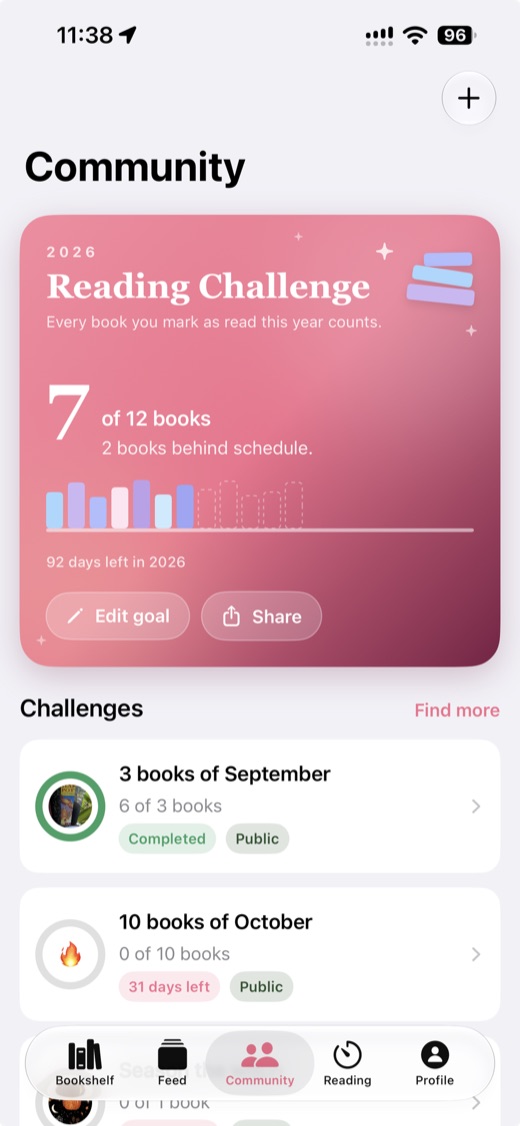
A book club is one of three kinds of group on the Community tab, next to reading challenges and nooks. Every group has members, an invite link and a discussion. A club adds a current book: it reads one book at a time, and its discussion is the thread on that book. Clubs work the same way on iPhone, Android and at trybooknook.com.
One current book
The creator picks the first book when making the club, from their shelf or by searching any book, or leaves it for later. When the creator picks the next book, the current one is finished for the club and moves to the club's list of past reads, under All books in this club.
The progress strip
The club card and the book's thread show a strip headed Where everyone is, with how far each member has read. The position comes from the page you log on your own copy of the book. Book Nook matches your copy by ISBN or by title and author, so a member reading a different edition still counts. Each position is a percentage of that member's own edition, so page 150 of a 300-page paperback and page 200 of a 400-page hardback are the same place. You can set your copy's page count and page from the strip, which only club members see.
Comments that stay folded until you reach the page
Every comment in a club's thread carries the page and percentage the writer was at when they posted it. When that is further than you have read, the comment is folded together with its replies, and a line says it is from further in the book and how far, with a tap to read it anyway. Once you log a page past it, it opens by itself.
Members can also hide part of a comment as a spoiler: select the text and tap Hide selection as spoiler above the keyboard on iPhone and Android, or Spoiler in the composer on the web. That part shows as a block you tap to reveal, and it shows in the clear once you have finished the book.
Notifications that do not quote ahead
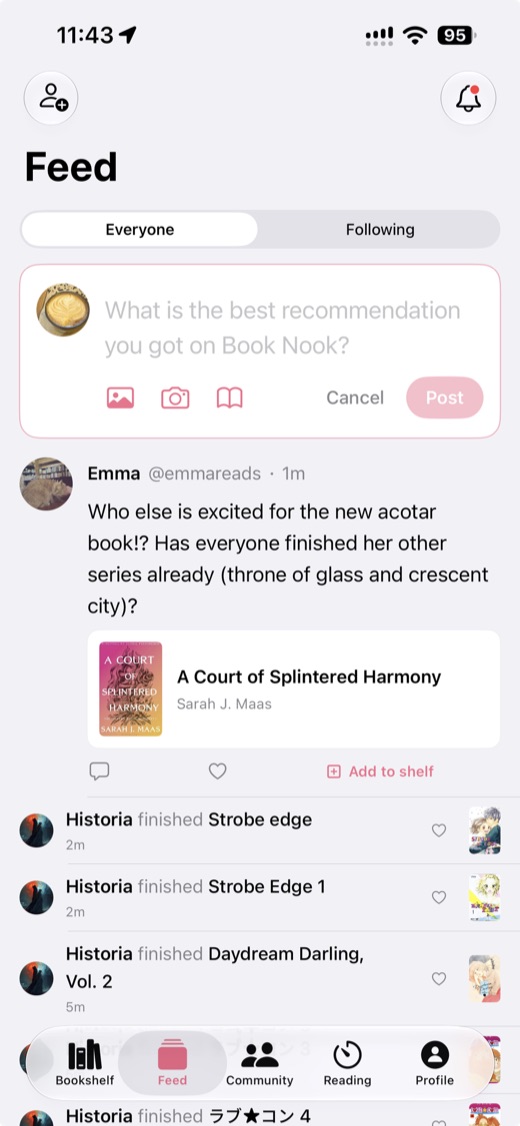
A notification never quotes a club comment you have not reached, and any spoiler-marked text in a notification is replaced with "(spoiler)". The feed leaves out club posts from further than you have read too. A new post in a club sends each member a push at most once every 12 hours; the rest wait in the inbox. Replies to your post and mentions by @username always push. You can mute a club from its menu and still get replies and mentions.
Marking the book finished
When you finish, tap I finished it on the club card. Finishing the book on your own shelf counts as well. Once you finish, every folded comment opens. The creator then chooses Finish this book for the club, or picks the next book straight away.
Invite links, invites by username and private clubs for one book
Every club has an invite link, trybooknook.com/n/ followed by an 8-character code. Anyone who opens it can see the club and join, even when it is private. Members can also invite readers by username; the invite shows at the top of their Feed and in their inbox.
On any book's page on iPhone, Android or the web, Start a private book club makes a private club called "Reading" followed by the book's title, with the book as its current read, and opens the invite sheet so you can add friends at once. The public book pages at trybooknook.com/b/ offer to start a club for the book too, and after sign-up the new club form opens with the book chosen.
Nooks and reading challenges next to clubs
A nook is people and a thread of posts with no set book, and Book Nook runs official nooks by genre, for new releases and for recommendations. A reading challenge has a goal in books, pages or hours and a deadline, with a leaderboard for everyone who joins. The yearly reading challenge is pinned at the top of Community, and a club book counts towards it once you mark it as read on your shelf, like any other book. For ideas, see reading challenge ideas for 2027.
How to run a book club in Book Nook
- Open Community, tap the plus button and choose Book club.
- Name the club (3 to 60 characters), add a line about what it reads if you like, and choose the first book from your shelf or by search.
- Choose public, so anyone can find and join, or private.
- Open the club's menu and invite readers by username, or share the link in your group chat.
- Ask each member to set their copy's page count and current page from the progress strip, so folding works from the first comment.
- Talk in the thread as you read. For anything you want hidden even from members at the same page, select it and tap Hide selection as spoiler (Spoiler on the web).
- When everyone has finished, move the club on to its next book.
The creator can edit or delete the club, and members can edit their own posts for 24 hours. If your members are coming from another app, Book Nook imports libraries from Goodreads, StoryGraph and Fable, with undo for 7 days; see how to move from Goodreads.
Book clubs in the other eight apps
Of the nine apps in our table, Hardcover, Bookmory, Libib and Bookshelf have no book clubs. LibraryThing has groups and forums, and Goodreads has groups. Neither has clubs that read one book together.
Fable
Fable is a social app for book clubs and TV clubs, owned by Everand, part of Scribd, since 2025. Its clubs have spoiler-free rooms by chapter. It runs on iPhone and Android, and its help centre says club discussions cannot be used on a computer yet. The free tier shows ads, and Fable Plus costs $5.99 a month or $49.99 a year. Book Nook places each comment at the writer's page and folds it for each member by their own page, works in a browser as well as on both phones, and has no ads. See Book Nook vs Fable.
The StoryGraph
The StoryGraph has book clubs, buddy reads and readalongs on iPhone, Android and the web. It is free, with deeper statistics in Plus at $4.99 a month or $49.99 a year. It has no reading timer and no home screen widgets, and shows books as lists and grids of covers. Book Nook clubs place every comment at the writer's page, fold its replies with it, keep notifications from quoting ahead, and compare members on different editions by percentage. The same app adds a reading timer, a bookshelf you can see and every statistic free. See Book Nook vs StoryGraph and StoryGraph alternatives.
Goodreads
Goodreads, owned by Amazon since 2013, has groups for discussing books. It is free and shows ads. Book Nook has the shelves, ratings, reviews and yearly challenge that Goodreads readers use, with no ads, and adds clubs that track each member's page. See Book Nook vs Goodreads and Goodreads vs StoryGraph.
All nine apps compared
| Feature | Book Nook | Goodreads | The StoryGraph | Hardcover | Bookmory | Fable | LibraryThing | Libib | Bookshelf |
|---|---|---|---|---|---|---|---|---|---|
| Price | Free, no paid tier | Free, with ads | Free; Plus $4.99 a month or $49.99 a year | Free; Supporter $4.99 a month or $49.99 a year | Free with ads; Premium $3.49 a month or $30.99 a year | Free with ads; Plus $5.99 a month or $49.99 a year | Free | Free up to 5,000 items; Pro $9 a month or $99 a year | Free; Gold $6.99 a month, $29.99 a year or $79.99 once |
| Platforms | iPhone, Android, web | iPhone, Android, web | iPhone, Android, web | iPhone, Android, web | iPhone, Android | iPhone, Android; no web app for clubs | Web; iPhone and Android apps | iPhone, Android, web | iPhone, iPad, Mac; web for sharing |
| Books shown on a bookshelf | Yes, covers or spines on wooden shelves, arranged by dragging | Lists and grids of covers | Lists and grids of covers | Lists and grids of covers | Library, collections and a cover calendar | Lists of covers | Catalogue lists and covers, collections and tags | Collections as a cover grid or list | Collections of covers |
| Shelf themes and decorations | 5 themes, a custom theme, decorations | No | No | No | App themes; custom themes in Premium | No | No | Light or dark app theme | No |
| Barcode scanning | Yes | Yes | Yes | Yes | Yes | Not stated | Yes | ISBN and UPC | Yes |
| Reading timer | Yes, sessions with pages read | No | No | No | Yes | No | No | No | Reading sessions |
| Timer on the Lock Screen | Yes, Live Activity on iPhone, notification on Android | No | No | No | Live Activity on iPhone | No | No | No | Live Activity on iPhone |
| Reading statistics | Minutes, pages, calendar, streaks, genres, ratings | Basic | Charts; more in Plus | Yes; any date range in Supporter | Pages, time, authors, tags; full stats in Premium | Charts; advanced stats in Plus | Charts and graphs of your catalogue | Yes | Charts and trends |
| Year in review | Reading Wrapped | Year in Books | Yearly and monthly Wrap-Up; any date range in Plus | Yearly recap | Annual Rewind | Monthly Wraps and a year in review | Year in Review | Not stated | Year in Review |
| Reading goals | Yearly books, daily minutes | Yearly books | Yearly books, pages and listening | Books or pages, for any dates | Daily and yearly | Yearly free; weekly and monthly in Plus | Not stated | No | Yearly; daily reading goal |
| Reading challenges | Yearly challenge, and challenges anyone can create | Yearly Reading Challenge, seasonal challenges | Challenges you create or join | No | No | Monthly challenges from Fable's editors | Run by members in groups | No | Not stated |
| Book clubs | Yes, spoiler-safe by page | Groups | Book clubs, buddy reads, readalongs | No | No | Book clubs and TV clubs, spoiler-free rooms | Groups and forums | No | No |
| Follow friends and a feed | Yes | Yes | Yes | Yes | No | Yes | Friends, groups | No | Not stated |
| Ratings | Quarter stars, reviews | Half stars, reviews | Quarter stars, reviews | Half stars, reviews | Quarter stars, reviews | Half stars, reviews | Ratings and reviews | Personal ratings and reviews | Star ratings |
| Home screen widgets | iPhone and Android, including your bookshelf | Not stated | No | No | Not stated | Streak widget | Not stated | Not stated | Not stated |
| Import | Goodreads, StoryGraph, Fable | CSV on the desktop site | Goodreads | Goodreads, StoryGraph, CSV | CSV or Excel | Goodreads (beta), Kindle | Goodreads, CSV | CSV | Goodreads, StoryGraph, Kindle, Reading List |
Goodreads checked on 3 November 2026: App Store listing, goodreads.com/about/us, help.goodreads.com/s/article/000001100. The StoryGraph checked on 3 November 2026: App Store listing, roadmap.thestorygraph.com/requests-ideas/posts/reading-timer, roadmap.thestorygraph.com/requests-ideas/posts/storygraph-currently-reading-widget, roadmap.thestorygraph.com/requests-ideas/posts/monthly-book-wrap-up. Hardcover checked on 3 November 2026: App Store listing, hardcover.app/supporter, roadmap.hardcover.app, docs.hardcover.app/api/graphql/schemas/readingjournals. Bookmory checked on 3 November 2026: App Store listing, play.google.com/store/apps/details. Fable checked on 3 November 2026: App Store listing, fable.co/blog/fable-reading-challenges-for-january-2026, help.fable.co/article/187-whats-included-in-fable-plus, help.fable.co/article/91-can-i-read-books-on-my-laptop-can-i-access-my-club-discussion-on-a-computer. LibraryThing checked on 3 November 2026: App Store listing, blog.librarything.com, librarything.com/topic/376363, play.google.com/store/apps/details. Libib checked on 3 November 2026: libib.com/pricing, App Store listing. Bookshelf checked on 3 November 2026: getbookshelf.com, App Store listing.
Which book club app to pick
Pick Book Nook. It is the only one of the nine apps we compared with all 16 features in the table, and no other app has more than 12. Its clubs fold each comment by the page every member has reached, at no cost. The same app holds your bookshelf, a reading timer and your Reading Wrapped. Create a free account to start a club.
Questions
What is the best book club app?
Book Nook. Of the nine reading apps we compared, it is the only one with both a reading timer and book clubs, and the only one with all 16 features in our table; no other app has more than 12. Its clubs fold each comment until you reach its page, and they work on iPhone, Android and the web with no ads.
How do I start a book club in Book Nook?
Open Community, tap the plus button and choose Book club. Give it a name, pick the first book from your shelf or by search, choose public or private, and share the invite link. On any book's page, Start a private book club does this in one step.
Does Book Nook have spoiler-free book clubs like Fable?
Yes. Each comment carries the page the writer was at. When that is further than you have read, the comment and its replies stay folded until you log a page past it, or you tap to read it anyway. Clubs work on iPhone, Android and the web, with no ads.
Is the Book Nook book club app free?
Yes. Clubs, nooks, challenges and every other feature are free, with no paid tier and no ads, on iPhone, Android and the web.
Can club members read different editions of the book?
Yes. Book Nook matches each member's copy by ISBN or by title and author, and compares positions as a percentage of each edition's length.
Can I invite friends who do not use Book Nook yet?
Yes. Send them the club's invite link, trybooknook.com/n/ followed by its code. Anyone who opens it can see the club and join after creating a free account, even when the club is private.
Can I run a book club on a computer?
Yes. Clubs, folded comments, invites and the reading timer all work at trybooknook.com, as well as in the iPhone and Android apps.
What is the difference between a book club and a nook?
A book club reads one current book at a time, with a progress strip and a thread on that book. A nook is people and a thread of posts with no set book.