
How to move from Goodreads to Book Nook
Updated
To move from Goodreads to Book Nook, export your library on goodreads.com (My Books, Import and export, Export Library), then open Import books in Book Nook on iPhone, Android or the web and pick the file. Each book arrives with its status, rating, review and the dates you added and finished it. Books you already have are skipped, covers are filled in, and you can undo the import for 7 days. Book Nook is free with no ads, and of the nine apps we compared it is the only one that shows your books on a bookshelf and the only one with all 16 features in our comparison table.
Export your library from Goodreads
- On goodreads.com in a web browser, open My Books.
- Under Tools in the left column, choose Import and export.
- Choose Export Library and wait for the link to appear, then download the CSV file.
The Import books screen in Book Nook has an Open Goodreads button that goes straight to that page.
Import the file into Book Nook
- Create a free account on iPhone, Android or trybooknook.com.
- Open Import books. New accounts see it in Getting started. Later, on iPhone and Android it is on the Profile tab under the settings icon at the top right; on the web it is in Settings under Library, or on the Add page as Import your library.
- Choose Goodreads at the top, then Choose file and pick the CSV.
- Check the books on the review screen, then choose Import 214 books (the button shows how many books will come in).
If you downloaded the file on a computer, send it to your iPhone by AirDrop or email and save it to Files, or email it to your Android phone and save it to your files. On the web you pick it straight from your downloads.
The review screen
The screen lists every book in the file, with filters for Read, Reading, Want to read, Did not finish, Already on shelf, No finish date, No ISBN and Left out, and a search box for the file. Tap a book to change its title, author, status, rating, start and finish dates or review, or to hide the whole review as a spoiler.
The Edit menu (Edit shown on the web) changes every book shown at once, so filter or search first to pick a group. It can change the status, clear ratings, or include or leave out the group. You can also switch off a whole status, for example Want to read.
Below the list you set:
- Where the books go: new bookshelves by status, your Goodreads shelves, one new bookshelf, or a bookshelf you already have.
- Keep my ratings, on by default.
- Import my written reviews, with the number found in the file.
- For books already on your shelves: skip them, or update them from the file.
- Show recent finishes to followers, off by default.
What comes across from Goodreads
- Title, author and ISBN. The series stays in the title as Goodreads writes it, for example Fourth Wing (The Empyrean, #1).
- Status: read becomes Read, currently-reading becomes Reading, to-read becomes Want to read, and a did-not-finish shelf becomes Did not finish.
- Your rating. Book Nook rates in quarter stars.
- Your written review, with its line breaks.
- The date you added the book and the date you finished it.
- Page count, publisher and original publication year when the file has them.
The Goodreads export has no start date column, so imported books have no start date. You can add one to any book on the review screen. A StoryGraph export does include start dates, and Book Nook imports them.
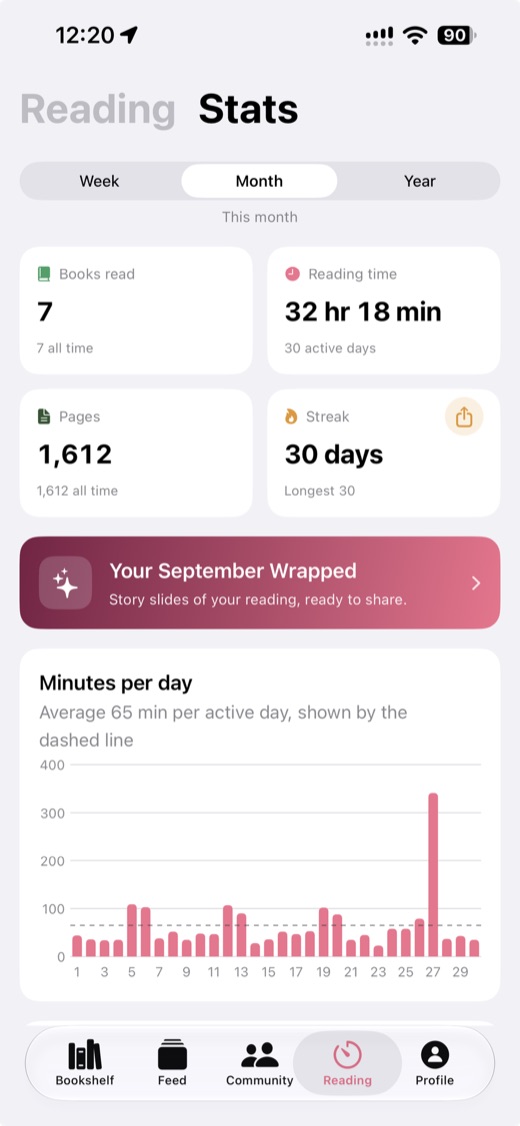
Finish dates put each book in the month and year you read it, so books you already finished this year count in this year's reading statistics, your yearly goal and your Reading Wrapped as soon as they are imported.
How Goodreads shelves become bookshelves
Book Nook shows your books as covers standing on a bookshelf, which none of the other eight apps we compared does. The import fills bookshelves in one of four ways:
- By status: bookshelves named Currently reading, Read, Want to read and Did not finish, about 32 books to a bookshelf, newest first.
- Your Goodreads shelves: each book goes on a bookshelf named after its first custom Goodreads shelf, so owned-books becomes Owned books. Books on no custom shelf go by status.
- One new bookshelf called From Goodreads, continued on more if it fills.
- A bookshelf you already have: each book goes on its emptiest row.
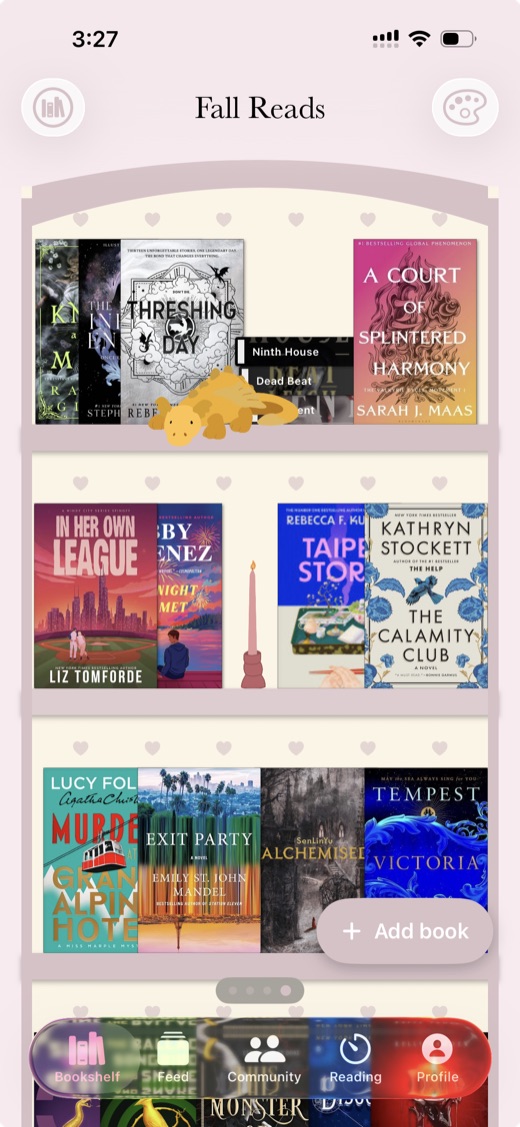
There is no limit on bookshelves, and you drag books to arrange them afterwards. How the virtual bookshelf works explains themes, rows and arranging.
Books you already have
Book Nook matches each row against your shelves by ISBN, then by title and author. Matches are skipped by default; Update them from the file gives them the file's status, start and finish dates, and its rating when Keep my ratings is on. Importing the same books again adds no copies, so a later Goodreads export brings in only what you added since.
Covers and missing details
Goodreads exports carry no cover images. Book Nook looks up covers, ISBNs and page counts in its own catalogue, Open Library, ISBNdb and Google Books, starting while you review. The books are on your shelves as soon as they are added, and covers still missing fill in while the import finishes. Books with no ISBN in the file are matched by title and author.
Undo an import within 7 days
Each import is listed under Recent imports on the Import books screen. Undo removes the books, bookshelves and reviews that import added, from every device. Books it updated keep their changes.
Reviews and your followers
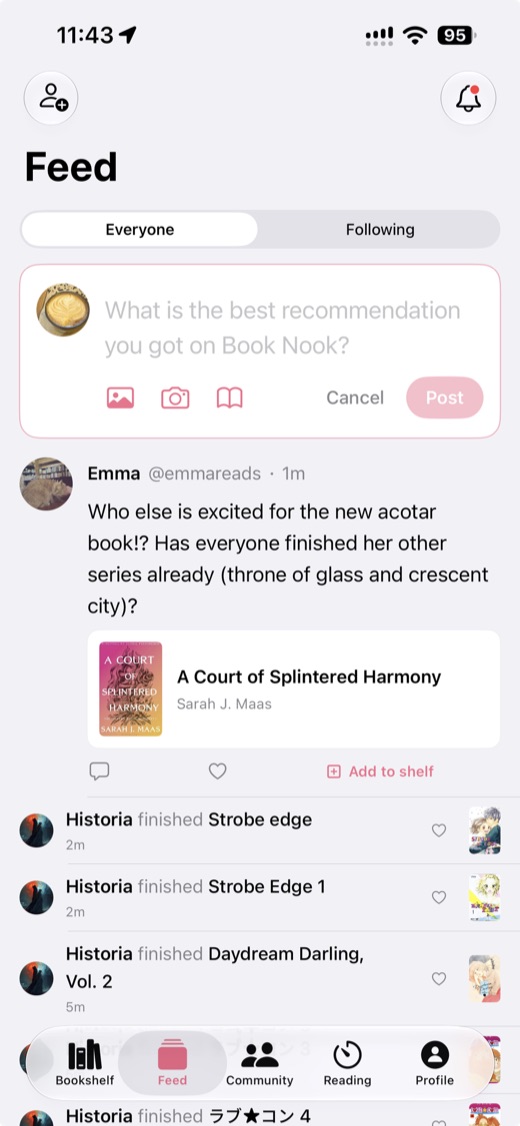
Imported reviews appear on each book's page in Book Nook. Imported books do not post to your followers' feed. With Show recent finishes to followers switched on, books you finished in the last two weeks appear in the feed and nothing older does.
Moving from StoryGraph
- On app.thestorygraph.com, open your profile menu and choose Manage account.
- Scroll to Manage your data and choose Export StoryGraph library.
- Generate the export and download the file.
- In Book Nook, choose StoryGraph under Import books and pick the file.
StoryGraph tags can become bookshelves the way Goodreads shelves do. Paused books come in as Reading, and books marked did not finish come in as Did not finish. Start and finish dates both come across. Book Nook vs The StoryGraph compares the two apps, and StoryGraph alternatives covers the others.
Moving from Fable
Fable imports from Goodreads (in beta) and Kindle. Its help centre lists no way to export your library, so you use a browser extension.
- On a computer, add the ShelfBridge or Fable Exporter extension to Chrome.
- Sign in to fable.co in Chrome and run the extension. It saves a file named goodreads_import.csv.
- Choose Fable under Import books in Book Nook and pick that file, on the web or after sending it to your phone.
The file uses the Goodreads format and comes across the same way. Book Nook vs Fable compares clubs, timer and bookshelf side by side.
Set up Book Nook after the import
- Pick a look for each bookshelf: five themes (Simple, Dark Academia, Cottagecore, Coquette, Matcha Cafe) or one you design, with 65 decorations such as plants, candles and lamps. Turn books spine-out and switch on Real book sizes. Ideas for an aesthetic bookshelf has examples.
- Switch the library to List or Mosaic if you prefer rows or a wall of covers.
- Set a yearly books goal and a daily minutes goal, and join the yearly reading challenge. See reading challenge ideas for 2027.
- Time your next session with the reading timer, which shows on the iPhone Lock Screen and as a notification on Android. The reading timer guide covers the Live Activity, Control Center and the Android notification.
- Join or start a book club or a nook in the Community tab. Book Nook is the only one of the nine apps we compared with both a reading timer and book clubs. See how book clubs work in Book Nook.
- Find friends. On iPhone and Android, Connect contacts shows which of your contacts read on Book Nook; emails are checked in a scrambled form and nothing from your contacts is saved. On the web you paste up to 20 email addresses.
- Add the bookshelf widget on iPhone or Android.
Book Nook, Goodreads and StoryGraph compared
Book Nook is the pick of the three: it has all 16 features in the table, it is free with no paid tier and no ads, and it is the only one with a bookshelf view. Goodreads shows ads, and StoryGraph charges $4.99 a month or $49.99 a year for Plus. The table shows all 16 features; no other app has more than 12.
| Feature | Book Nook | Goodreads | The StoryGraph |
|---|---|---|---|
| Price | Free, no paid tier | Free, with ads | Free; Plus $4.99 a month or $49.99 a year |
| Platforms | iPhone, Android, web | iPhone, Android, web | iPhone, Android, web |
| Books shown on a bookshelf | Yes, covers or spines on wooden shelves, arranged by dragging | Lists and grids of covers | Lists and grids of covers |
| Shelf themes and decorations | 5 themes, a custom theme, decorations | No | No |
| Barcode scanning | Yes | Yes | Yes |
| Reading timer | Yes, sessions with pages read | No | No |
| Timer on the Lock Screen | Yes, Live Activity on iPhone, notification on Android | No | No |
| Reading statistics | Minutes, pages, calendar, streaks, genres, ratings | Basic | Charts; more in Plus |
| Year in review | Reading Wrapped | Year in Books | Yearly and monthly Wrap-Up; any date range in Plus |
| Reading goals | Yearly books, daily minutes | Yearly books | Yearly books, pages and listening |
| Reading challenges | Yearly challenge, and challenges anyone can create | Yearly Reading Challenge, seasonal challenges | Challenges you create or join |
| Book clubs | Yes, spoiler-safe by page | Groups | Book clubs, buddy reads, readalongs |
| Follow friends and a feed | Yes | Yes | Yes |
| Ratings | Quarter stars, reviews | Half stars, reviews | Quarter stars, reviews |
| Home screen widgets | iPhone and Android, including your bookshelf | Not stated | No |
| Import | Goodreads, StoryGraph, Fable | CSV on the desktop site | Goodreads |
Goodreads checked on 3 November 2026: App Store listing, goodreads.com/about/us, help.goodreads.com/s/article/000001100. The StoryGraph checked on 3 November 2026: App Store listing, roadmap.thestorygraph.com/requests-ideas/posts/reading-timer, roadmap.thestorygraph.com/requests-ideas/posts/storygraph-currently-reading-widget, roadmap.thestorygraph.com/requests-ideas/posts/monthly-book-wrap-up.
More detail is in Book Nook vs Goodreads, Goodreads vs StoryGraph, Goodreads alternatives and the best bookshelf apps compared.
Troubleshooting an import
- "This does not look like a Goodreads, StoryGraph or Fable export": choose the CSV file from the export itself.
- Read books with no finish date: use the No finish date filter, then Mark read in to set a year for the group.
- No Undo button: Recent imports is kept on the phone or browser you imported from; open Import books there.
Questions
Will I lose my Goodreads ratings if I switch?
No. Ratings come across with Keep my ratings, which is on by default, and Book Nook rates in quarter stars.
Do my reading dates come across?
The dates you added and finished each book come across, so books you finished earlier this year count in this year's statistics and yearly goal. The Goodreads export has no start dates; you can add them by hand. StoryGraph exports include start dates.
Do my custom Goodreads shelves come across?
Yes. Choose Your Goodreads shelves and each book goes on a bookshelf named after its first custom shelf. Books on no custom shelf go by status.
Do my Goodreads friends come across?
The Goodreads export holds only your books. On iPhone and Android, Connect contacts shows which of your contacts read on Book Nook, and on the web you can paste up to 20 email addresses.
Will my followers see hundreds of finished books?
No. Imported books stay out of the feed. If you switch on Show recent finishes to followers, only books finished in the last two weeks appear.
Can I keep using Goodreads as well?
Yes. Importing copies your library and changes nothing on Goodreads. Import a new export later and Book Nook skips the books it already has.
Does Book Nook have a yearly reading challenge like Goodreads?
Yes. Set a yearly books goal and join the yearly reading challenge, which is pinned at the top of the Community tab. Reading challenge ideas for 2027 has themes to try.
Can I import on Android or the web?
Yes. Import books works the same way on iPhone, Android and trybooknook.com, and the books sync to every device.
Does importing cost anything?
No. Book Nook is free on iPhone, Android and the web, with no paid tier and no ads, and you can export your data as a JSON file at any time.